How to Change cPanel's Style/Theme
Switching over to another cPanel theme with a different style is easy.
1. Log in to your cPanel account.
2. In the General Information panel. You should see a Theme option with a drop-down menu.
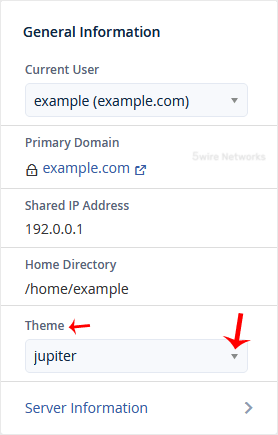
3. Choose your favorite theme from the drop-down menu, and it will apply automatically.
Updated on: 30/08/2024
Thank you!