How to Change the Language in SiteWorx
SiteWorx supports many languages. If you want to change your SiteWorx's language to a native one, you should follow this tutorial.
1. Log in to your SiteWorx account.
2. In the Administration section, click on User Accounts.

3. Click on the Pencil icon attached to your SiteWorx account.

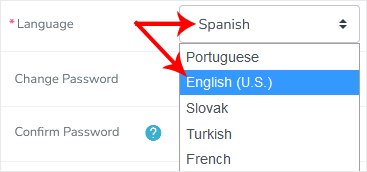
4. Select the appropriate language from the drop-down menu and click Save.
Your SiteWorx's language setting has been successfully updated.
Updated on: 30/08/2024
Thank you!