How to Create a Database Username in cPanel
1. Log in to your cPanel account.
2. In the Databases section, click on MySQL Databases.

3. Under MySQL Users , in the Username field, enter the new username you want to create.
4. Enter your new password or use a password generator.
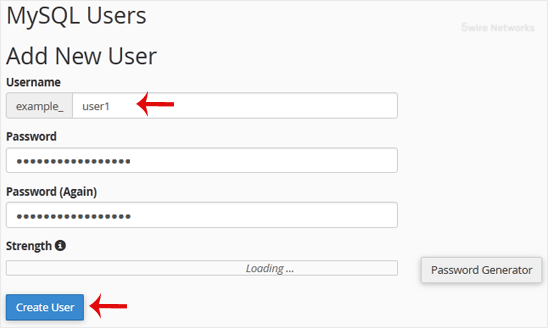
5. Click on Create a User.
Tip: Write down the database username and password on a notepad so you can easily recall them while installing a script manually.
Updated on: 30/08/2024
Thank you!