How to Create/Add a Package in the WHM
You can create predefined packages in the WHM for automation or another purpose.
1. Log in to your WHM Account.
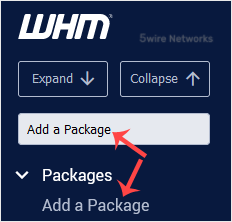
2. Go toPackages >> Add a Package or type Add a Package in the menu filter box. The option will appear. Click on it.
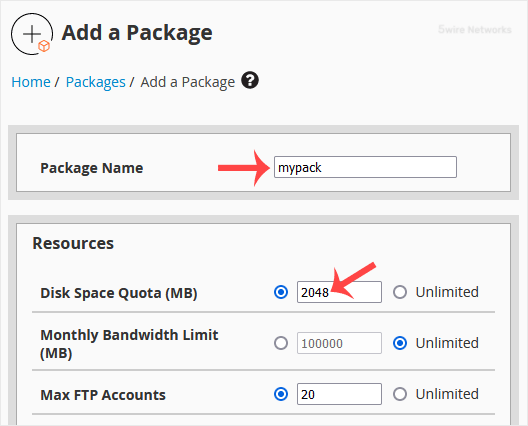
3. Enter the package name and change the resources according to your needs.
4. Under Settings , enter the following details:
Dedicated IP : Choose this if you want to give each account a dedicated IP or leave it unchecked.
Shell Access : Check this if you want to give SSH access to the user. However, we recommend that you leave it unchecked.
cPanel Theme: Select a theme for the user.
Feature List: If you are not using a custom feature list, leave it as it is.
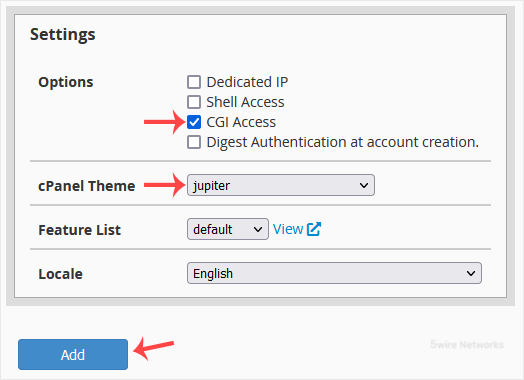
5. Click on Add.
Congratulations : Your new package has been created. Repeat steps 3 to 5 to add more hosting packages.
Updated on: 30/08/2024
Thank you!