How to Delete "User Level Email Filter" in cPanel
1. Log in to your cPanel account.
2. In the Email section, click on Email Filters.
**
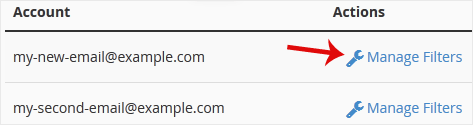
3. Under **Filters by Users , you can see all your existing email accounts. Click on Manage Filters next to the appropriate one.
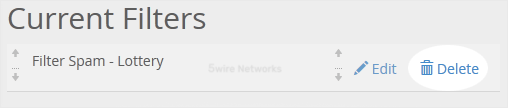
4. Under Current Filters , click on Delete next to the appropriate filter you want to remove.
5. Now click on Delete Filter to remove your filter.
Updated on: 30/08/2024
Thank you!