How to Disable Apache SpamAssassin in DirectAdmin
1. Log in to your DirectAdmin Account.
2. In the E-mail Manager section, click on SpamAssassin Setup or type SpamAssassin Setup in the navigation filter box, and the option will appear. Click on it.

3. Click on Disable SpamAssassin.
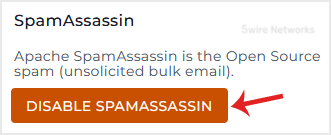
SpamAssassin will be disabled successfully.
Updated on: 30/08/2024
Thank you!