How to Exclude Specific Files/Folders from the Plesk Backup
1. Log in to your Plesk account.
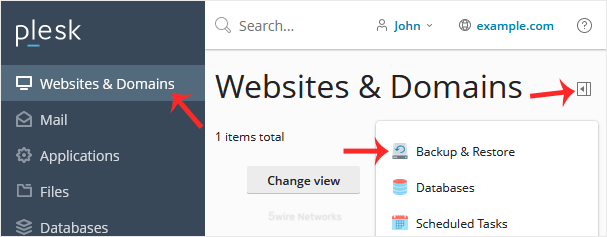
2. Go to Websites & Domains > Click on the Pull icon >> Choose Backup & Restore.
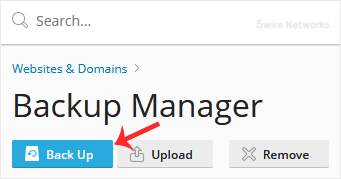
3. Under Backup Manager , click on Back Up.
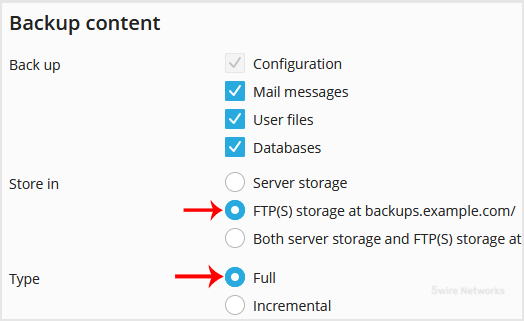
4. Choose the backup type.
5. Checkmark Exclude specific files from the backup.
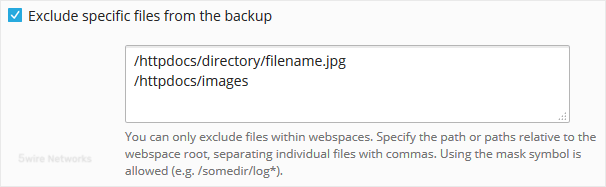
Enter the path of the file you want to exclude, such as:
/httpdocs/directory/filename.jpg
To exclude a whole directory, enter:
/httpdocs/images
To exclude only specific extensions such as PNG, enter:
/httpdocs/images/.png
6. Confirm with OK. The backup will start generating in the background. At this point, you can navigate away from the page.
Updated on: 30/08/2024
Thank you!