How to Install cPanel
cPanel is the #1 Hosting Control Panel in the web hosting industry. You can easily install it.
What are the requirements?
\- Fresh Ubuntu or AlmaLinux OS installed on your VPS/Server.
**How to install cPanel?
**1. Log in to your VPS/Server via the SSH Client.
2. Copy the following command and paste it into the SSH console. Then press Enter.
cd /home && curl -o latest -L https://securedownloads.cpanel.net/latest && sh latest
3. The cPanel installation has begun. It can take from 10 to 20 minutes.
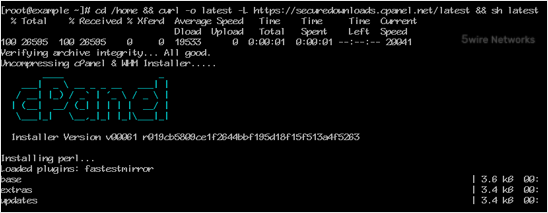
4. Once the installation is complete, the console will display a message that the cPanel Installation has been completed.
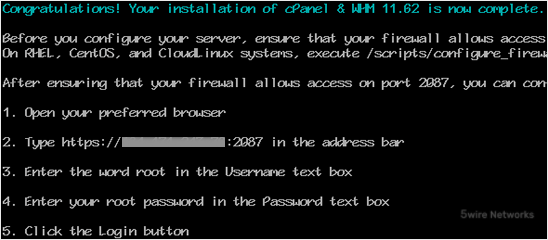
5. Open https://your-server-IP-here:2087 (WHM).
6. Enter the root username and password.
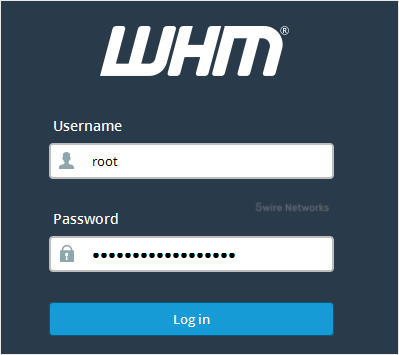
7. Click on Login.
cPanel/WHM Setup Wizard:
**
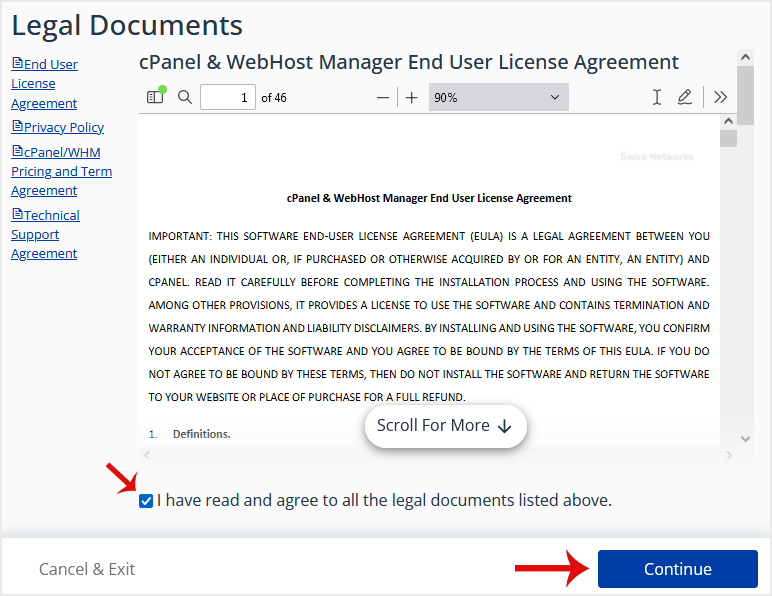
**Step 1: Read and accept the agreement. Click on Continue.
Step 2: If the cPanel license is not active, it may ask you to log in to the cPanel store to activate the trial license.
Step 3: Setting up Email and Nameservers:
\- Email Address: Enter your email address. You will receive a cPanel-related alert in your email.
\- Nameservers: Enter your domain nameservers such as ns1.example.com and ns2.example.com. Please, replace example.com with your domain name.
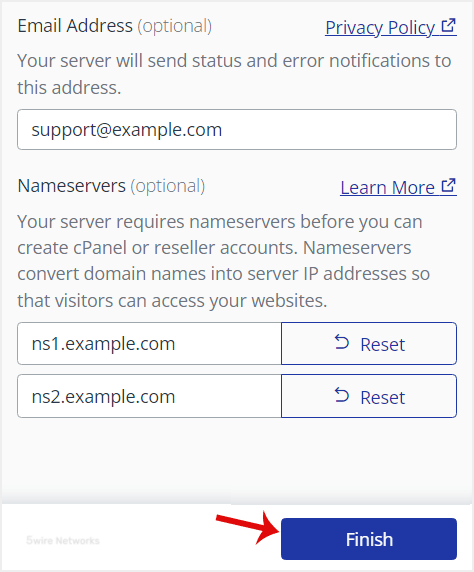
Finally, click Finish.
Congratulations , the cPanel installation is complete. All you need to do now is to compile Easy Apache, change settings, install the firewall, etc.
Updated on: 30/08/2024
Thank you!