How to Install PHP-Fusion via Softaculous in cPanel
Softaculous helps you install web applications very easy. Please, follow the steps below to install PHP-Fusion.
1. Log in to your cPanel account.
2. In the Software section, click on Softaculous Apps Installer.

**
3.** cPanel will redirect you to the Softaculous interface.
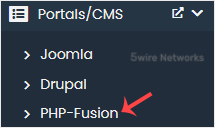
4. On the left side, locate the Portal/CMS category. Click on it and then on the PHP-Fusion link that appears.
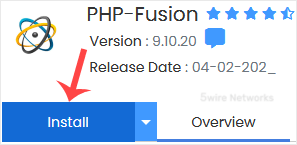
5. Click on Install.
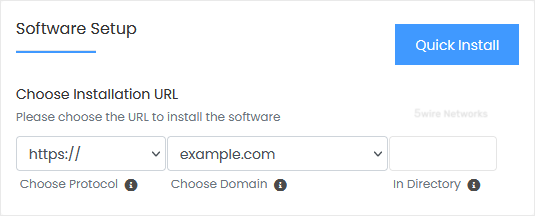
6. Fill in the necessary fields under the Software Setup fields:
- Choose Installation URL: Choose the appropriate protocol/domain. Inside the "In Directory " field, should you want to install this in a directory, i.e., example.com/directory, enter the directory name. Otherwise, please, leave it blank to install in your main domain, i.e., example.com.
7. Under the Site Settings field, enter the following information:
- Site Name: Enter the name of your website, such as PHP-Fusion.
- Site Email: Your e-mail address.
8. Under the Admin Account field, enter the following information:
- Admin Username: Your new PHP-Fusion username (for security reasons, do not use the administrator or the admin username).
- Admin Password: Use a strong password.
- Admin Email: Your e-mail address.
- User Password: Use a strong password.
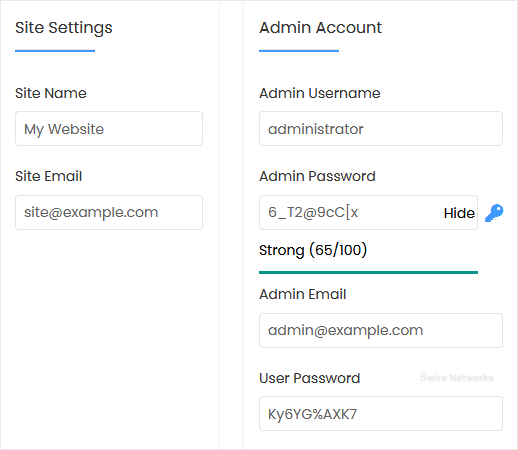
Note: Copy the admin username and password to Notepad. You will need those to access the admin area of your PHP-Fusion website later.
9. Advanced Options: Leave this unless you want to change the database name or take an automated backup. Please, note that creating frequent backups may take a lot of disk space.
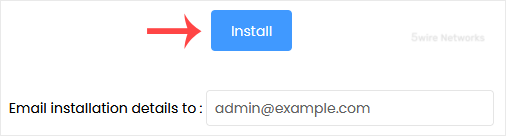
Finally, scroll down to the end of the page and click on Install.
Updated on: 30/08/2024
Thank you!