How to Install SolusVM Master on AlmaLinux or CentOS
SolusVM is a popular VPS hosting control panel. SolusVM master controls Slave nodes (Servers) and manages VPSs.
What are the requirements?
\- Fresh AlmaLinux 8, CentOS Stream 8, or CentOS 7 installed on your VPS/Server.
How to install SolusVM Master?
Step 1: Log in to SSH as a root account.
For AlmaLinux 8 or CentOS Stream 8, run the following command:
curl -o installer https://files.soluslabs.com/solusvmphp7/install/installer && chmod +x installer && ./installer
For CentOS 7, execute the following one instead:
curl -o install.sh https://files.solusvm.com/install.sh && sh install.sh
We are going to install SolusVM Master, so we chose option 1.
Enter "1 " (without the quotes) and press Enter.
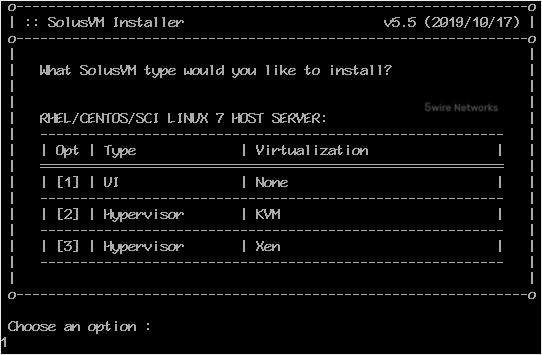
Installation may take from 5 to 10 minutes and will depend on the speed of your server.
Once the installation is complete, it will show you an administrator URL and the username/password for your account.
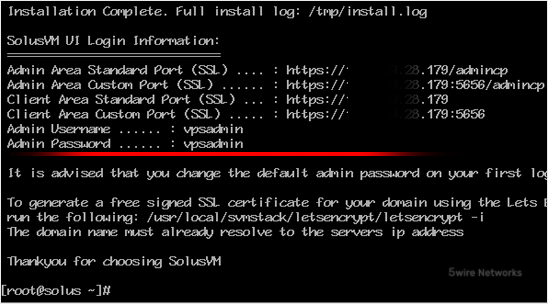
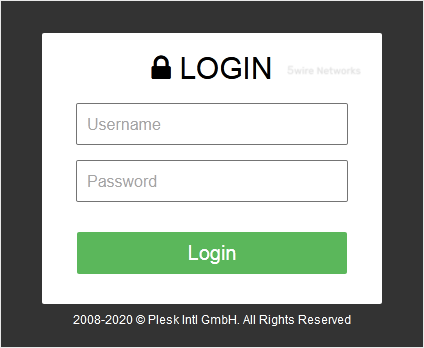
Step 2: You can now access your Administrator control panel. Open your SolusVM Admin URL in the browser and enter your login details.
**
Note:** Don't forget to change your default username and password for SolusVM. The default username/password is not secure, and it is easy for anyone to access your panel using them.
Updated on: 30/08/2024
Thank you!