How to Install Webmin on Linux
Webmin is a free hosting control panel with easy installation. It takes only 5 to 10 minutes, and the configuration is simple.
What are the requirements?
\- Fresh CentOS, AlmaLinux, RockyLinux, Fedora, Debian, Kali or Ubuntu installed on your VPS/Server.
How to install Webmin?
**
Step 1: Log in to SSH Client using your root account.
**We are going to configure repositories. Enter below commands:
yum install wget curl -y
curl -o setup-repos.sh https://raw.githubusercontent.com/webmin/webmin/master/setup-repos.sh
Type y and press enter.
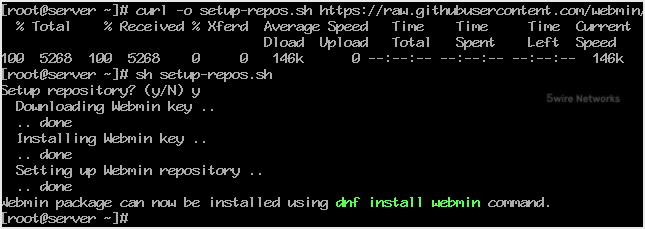
Step 2: Install Webmin on RHEL, AlmaLinux, RockyLinux:
dnf install webmin
For Installing Webmin on Debian and derivatives:
apt-get install webmin --install-recommends
Note: The installation may take a few minutes and will depend on the speed of your server.
Step 3: Open port 10000 in your server's firewall. You can do so by running the following command:
firewall-cmd --zone=public --add-port=10000/tcp --permanent
firewall-cmd --reload
Step 4: Open your Webmin URL in a browser, such as https://ip-address here:10000
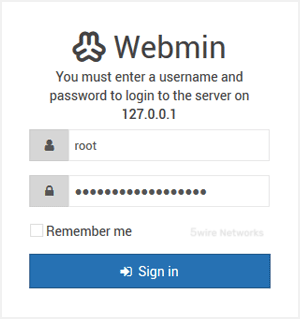
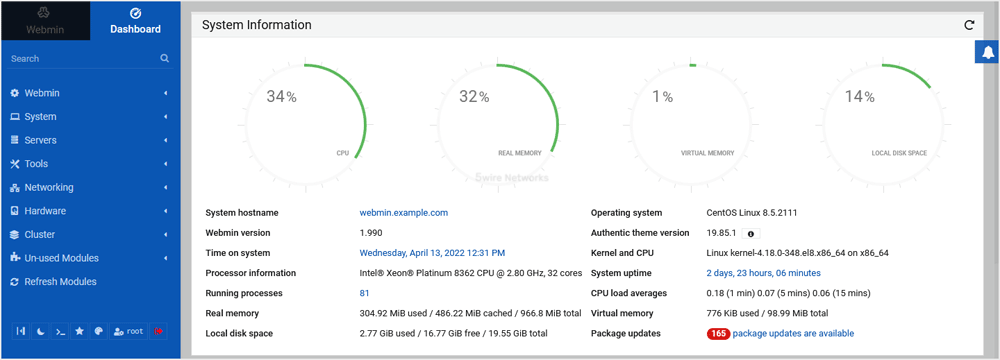
The Webmin Dashboard will open. Webmin's new design looks great.
Updated on: 30/08/2024
Thank you!