How to Redirect a Subdomain to an External URL in Plesk
1. Log in to your Plesk account.
2. Click on **Websites & Domains **from the Sidebar Menu.

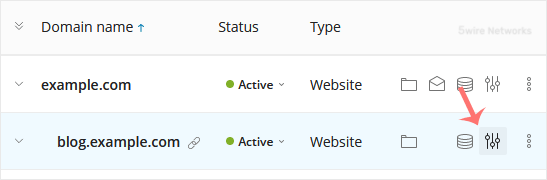
3. Under the list of Domain names , click on the  Hosting Settings icon appearing in the same row of the subdomain.
4. Enter the following details:
- Hosting Type : Choose the Forwarding option from the drop-down menu.
- Forward visitors to : Enter the link to which you want to redirect the subdomain.
- Forwarding Type : Choose it according to your need.
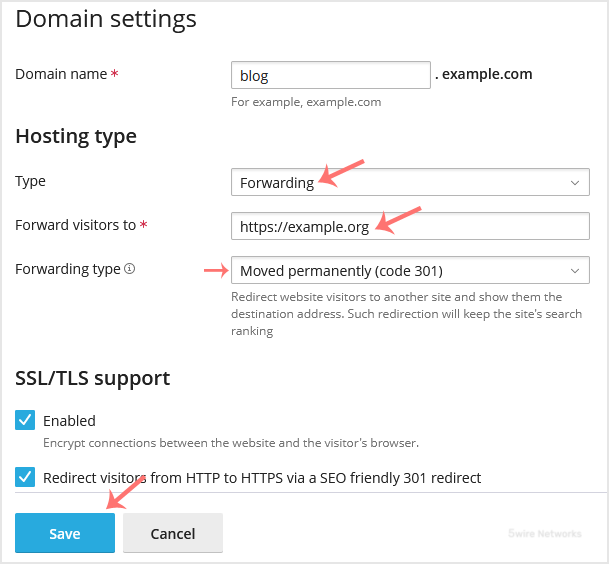
5. ClickSave. Read the warning and confirm it with Yes.
Updated on: 30/08/2024
Thank you!