How to Remove a Domain in Plesk
You can remove a domain in Plesk by following this tutorial.
1. Log in to your Plesk account.
2. Click on **Websites & Domains **from the Sidebar Menu.

3. Under the list of domains , click on the More icon  in front of the domain and select Remove website.
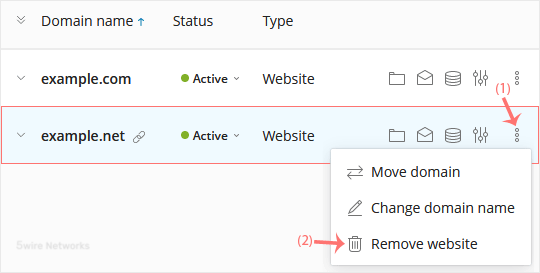
4. Confirm with Yes to remove the domain.
Updated on: 30/08/2024
Thank you!