How to Remove a Subdomain in cPanel
A subdomain is an additional part of your primary domain. Please, follow this tutorial to remove a subdomain in cPanel.
1. Log in to your cPanel account.
**2. In the **Domains section, click on Domains.

3. Locate the Subdomain you want to remove and click Manage next to it. 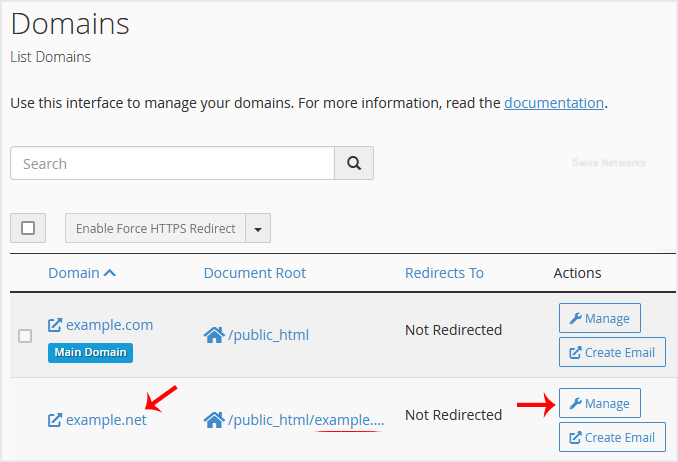
4. Scroll down, click on Remove Domain , and confirm the removal.
You should see a message that your Subdomain has been removed.
Updated on: 30/08/2024
Thank you!