How to Remove Secondary Domain in SiteWorx
Removing a secondary domain is easy. You should back up your account before doing this.
**
1.** Log in to your SiteWorx account.
**
**
2. In the Domains section, click on Manage.

3. Select the secondary domain you want to remove and choose Delete from the drop-down menu.
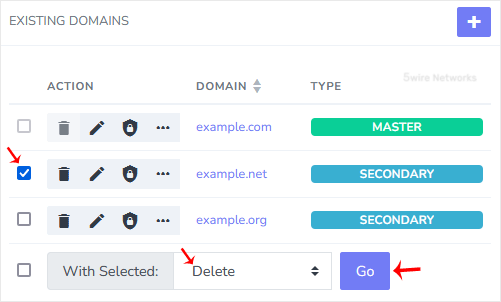
4. Click Go and confirm with Delete.
You should see a success message that your domain has been removed.
Updated on: 30/08/2024
Thank you!