How to Set Custom/Private Nameservers in WHM
You can set up custom/private nameservers from WHM.
1. Log in to WHM Account.
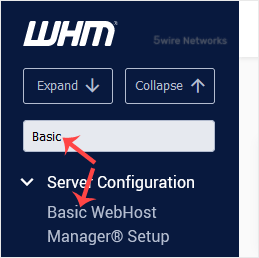
2. Go to Server Configuration >> Basic WebHost Manager Setup or type Basic in the menu filter box. The option will appear. Click on it.
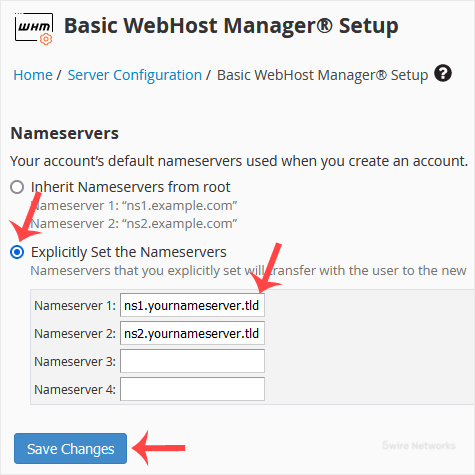
3. Under Nameservers , select Explicitly Set the Nameservers. Enter or change the nameservers. Then click on Save Changes.
Note: Domain propagation takes up to 24 hours.
Updated on: 30/08/2024
Thank you!