How to Update a Cronjob Email Address in cPanel
You can enable cronjob notifications or update a cronjob's email address in cPanel.
1. Log in to your cPanel account.
2. In the Advanced section, click on Cron Jobs.

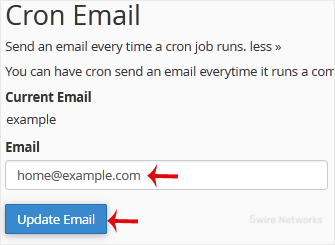
3. Under Cron Email , you should enter your full email address in the text field.
4. Click on Update Email.
Updated on: 30/08/2024
Thank you!